For any contractor, billing is one of the most important administrative tasks. And here’s why. As a contractor, you need to
invoice customers accurately
keep track of what has been paid
take follow up on overdue amounts
make sure every project is billed for work and material delivered
In reality, most of these tasks are managed by contractors manually using spreadsheets, emails, paper documents, and basic accounting tools.
Manual managing billing tasks is not new for contractors and widely used for managing single or two construction projects.
But when it comes to implementing same manual process for managing a number of project the real challenge arise. Now you are manually multiple spreadsheets, emails, invoices, and other accounts documents.
And this creates opportunities for errors.
An invoice can be sent with the wrong amount, a payment can be assigned to the wrong customer, or an overdue invoice can be missed during a busy week. This is where construction billing workflow software can be helpful.
A connected construction billing workflow can reduce much of this repetitive work. By connecting project information, work performed, materials, invoices, and payments, contractors can spend less time managing billing administration and more time managing their projects.
Key Takeaways
Creating invoices manually can take time and increase the risk of incorrect project or customer information.
Tracking unpaid invoices through spreadsheets makes it harder to know which payments need attention.
Manually matching payments to invoices can become difficult when customers make partial or combined payments.
Collecting billable work, materials, hours, and project costs manually can slow down the invoicing process.
Automatic reminders and connected billing workflows can make payment follow-ups easier.
Billing Processes Contractors Should Stop Managing Manually
1. Creating Invoices From Scratch
Creating every invoice manually takes more time than it seems. You need to collect customer details, project information, completed work, materials, hours, prices, taxes, and payment terms before creating an invoice.
When these details are stored in different spreadsheets or systems, someone has to collect and enter the same information again. Collecting information from different places increases the risk of mistakes and can also delay invoicing.
Rather than handling this process manually there’s a better approach. You can connect invoicing software with the project and work information already available to your team. With this, every project-related data is available in one place and invoices can be created using information that has already been recorded.
This makes contractor invoicing software faster and reduces unnecessary data entry. Further, anyone in your team can check where an invoice came from and what work or materials it covers. For contractors, faster invoicing can also mean faster payment. The sooner completed work is invoiced, the sooner customers can review and pay it.
2. Manually Tracking Unpaid Invoices
To maintain a healthy cash flow contractors need to track the status of all paid, unpaid, and pending invoices. Yet many contractors still use spreadsheets to track this information.
This means either contractors or someone from their team needs to update the spreadsheet manually when an invoice is sent or paid, check the due dates, and manually identify customers who need a reminder. Imagine manually updating and tracking hundreds of invoices across different projects. Also consider the impact on a project when a contractor makes an invoicing mistake.
A construction ERP can give contractors a central view of invoice status, including outstanding invoices, received payments, and amounts that need follow-up. They can see which invoices are outstanding, which payments have been received, and which amounts require follow-up.
Digitizing the manual invoices allows project managers and business owners a better understanding of expected cash flow. Now, there’s no need to wait until the end of the month. Just log in to the ERP software and see what is happening with payments as part of their regular workflow.
3. Matching Payments to the Right Invoices
Every time you receive a customer payment, it’s good news. However, immediately after that, you need to match it with the correct invoice.
In case the payment information is stored somewhere and invoices are managed separately, matching payments to the right invoices becomes a manual task. You need to assign someone to check bank transactions, identify the customer, find the relevant invoice, and update the payment status.
But in case the payments are made partially, or a client clears several invoices together, the verification process becomes challenging.
How to tackle this? A connected billing system can make payment matching easier by keeping invoice and payment information together. With bank integration, payments can be reconciled with invoices, reducing the need for separate manual records.
Digitising the manual task helps keep your financial information accurate and reduces the chance of an invoice being incorrectly marked as unpaid. Further, it also gives contractors a clearer picture of their outstanding receivables. When payment information is up to date, you can make better decisions about follow-ups, upcoming expenses, and project cash flow.
4. Calculating Billable Work and Project Costs Manually
Next, a time-consuming manual billing task for contractors is collecting information about the work and materials that need to be billed.
Let’s understand this with an example. A construction project may involve employee hours, subcontractor work, materials, equipment, and additional work requested by the customer. If this data is present separately, the billing team has to collect it before preparing an invoice. And there’s a risk if something gets missed.
A connected construction ERP software can bring project information together. With this, the team has a clearer overview of what has been completed and what should be included in the invoice.
This is particularly useful when billing is based on progress or when a project involves multiple phases. You don’t need to rely on someone to remember what has been completed; the billing process can use information already recorded during the project.
5. Following Up on Outstanding Payments
Following up on unpaid invoices is another billing task that can take a lot of time when handled manually. Contractors may need to check which invoices are overdue, remember when to contact each customer, and send payment reminders one by one.
This becomes harder when a contractor is managing several projects and customers at the same time. A missed reminder can delay payment and make it harder to maintain a steady cash flow. Contractors should also monitor how project expenses and financial delays affect their overall profitability.
A connected invoicing system can make this process easier by showing outstanding invoices and helping contractors manage payment follow-ups from the same workflow. Automatic invoice reminders can also reduce the need to manually send repeated payment requests.
For example, instead of checking a spreadsheet every week to find overdue invoices, the contractor can use the invoicing system to identify invoices that need attention and follow up with the customer at the right time.
The goal is not only to remind customers to pay. It is also to keep a clear record of what has been invoiced, what has been paid, and which payments still require action.
Why a Connected Construction Billing Workflow Matters
These billing tasks may seem small individually, but they can consume a significant amount of administrative time when performed manually across multiple projects. And that’s not it. The bigger issue is that manual billing often creates disconnected information. Project teams may have one set of records, the finance team another, and customer payment information somewhere else. Connecting construction systems can help teams share project and financial information without maintaining separate records in different tools.
When you implement connected construction billing software, it brings these activities closer together.
Instead of creating an invoice from scratch, teams can use project information already available in the system. No need to check several spreadsheets for unpaid invoices, as your team can view payment statuses in one place. And instead of manually collecting information about completed work, they can use project records to support billing.
How Bouwflow Helps Contractors Manage Billing
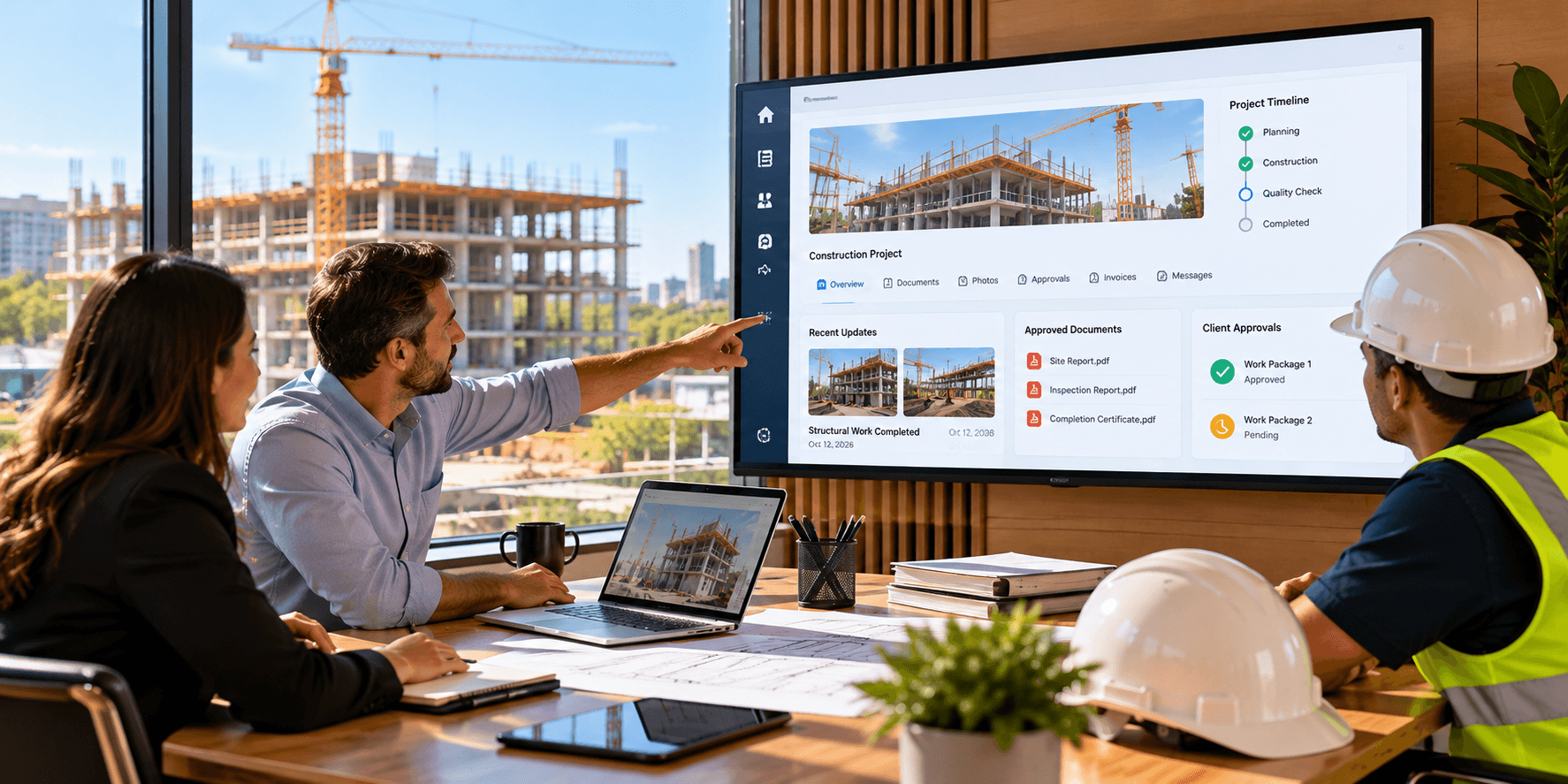
Bouwflow helps contractors connect their project and financial processes. The ERP software we offer automates different billing processes in a way that does not rely on external spreadsheets and manual processes.
Project data, works, materials, invoicing, and payments can all be handled in a connected process. That provides contractors with more insights about the things that have been completed, need to be invoiced, and have not yet been paid for.
Connected project and financial information provides easy insight into the connection between project activities, invoicing, costs, and profits for the contractor.
This will especially help out contractors who manage multiple projects at the same time since all relevant information will be available in a single system.
Bouwflow is designed to connect project information with invoicing and other financial workflows, so teams can work with information that has already been recorded during the project.
Where to Start From?
As a contractor, you do not have to automate your entire billing process right away. Instead, do this.
Determine which task consumes more time from your team. These task/tasks can be invoicing, following up on payments, payment reconciliation, or gathering information about projects for billing.
Now that you know the task, consider where the information is coming from and how often it is needed to be entered. If the same information is entered several times in spreadsheets, emails, projects, and accounting software, that's a good place to start.
After successfully automating one step, you can continue determining new areas for automation and connecting other steps to it. The goal is to make the entire process automated by connecting the flow of information from project to the invoice and payment.
Also Read: How Does CRM Analytics in Construction ERP Support Smarter Decision-Making?
Conclusion
If there are just a few projects for a contractor, then manual billing might appear as an acceptable solution. However, as more projects, customers, bills and payments come into play, then manual processes begin to pose as a heavy workload burden for the contractor.
The processes of invoice creation, payments collection, transaction matching, billable work collection and customer communications are critical to any business, but they should not be fully manual processes.
A connected construction billing process can assist contractors in reducing repetitive activities and enhancing invoice accuracy and visibility of payments.
With Bouwflow, contractors can connect project information, invoicing, payments, and other construction workflows in one system. This can reduce repetitive billing work and give teams better visibility into what has been completed, invoiced, and paid.
Ready to minimize your time spent on the manual construction billing and focus more on projects management? Find out more about Bouwflow solutions for construction billing.
FAQs
1. What billing tasks should contractors stop doing manually?
Contractors should consider reducing manual work involved in creating invoices, tracking unpaid invoices, matching payments, collecting billable project information, and following up on overdue payments.
2. How does construction software help with contractor billing?
Construction software can connect project information with invoicing and payment workflows. This can reduce repetitive data entry and make it easier to track what has been completed, invoiced, and paid.
3. Why is manually tracking unpaid invoices a problem?
Manual tracking often requires contractors to update spreadsheets and check payment information regularly. As the number of projects and customers increases, it can become difficult to keep the information accurate and identify which invoices need follow-up.
4. Can construction software help match payments to invoices?
Yes. A connected billing system can keep invoice and payment information together. With bank integration and reconciliation, contractors can reduce the need to match every payment manually.
5. How can contractors make invoice follow-ups easier?
Contractors can use invoice reminders and a central view of outstanding invoices to identify payments that need attention. This reduces the need to manually check spreadsheets and remember every follow-up.
6. What information is needed to prepare a construction invoice?
Depending on the project, contractors may need customer details, project information, completed work, materials, employee hours, prices, taxes, payment terms, and other billable costs.
7. When should a contractor automate billing tasks?
A good starting point is when manual billing takes significant time or becomes difficult to manage across multiple projects. Contractors can begin with one repetitive task, such as invoice creation or payment follow-ups, and gradually connect more parts of the billing workflow.
8. How does Bouwflow help contractors with billing?
Bouwflow connects project and financial workflows, including invoicing, payment information, bank integration, reconciliation, and automatic invoice reminders. This helps contractors manage billing information within a connected construction workflow.