Bouwflow Logo

Software for renovation companies

On a renovation, things rarely go exactly to plan. With Bouwflow, extra work lands on the right job straight away, together with the hours and materials that come with it. Easy to use, powerful in results. 🚀

From estimate to handover, without the surprises.

Discover why Bouwflow is the most suitable ERP software for renovation companies.

Streamline your processes

Bouwflow gives renovation companies a grip on what tends to go wrong on a refurbishment: extra work nobody passes on, and a margin you only see once the job is over.

Control your margins

Compare your original estimate against the hours, materials and purchases that actually went into the job. You know what a renovation earns before the final invoice goes out.


No more forgotten extra work

Record extra work on a work order, or as a variation on your progress claim. What gets decided on site ends up on the invoice.

Office and site in step

Your crews and subcontractors get their work on the app, and you get their hours, materials and photos back. Nobody has to ring around for a status update.

Price it right, even on a refurbishment

Estimating software for renovation companies

A renovation is harder to price than a new build. With a solid pre-calculation you start from your own line items and your own rates instead of a rough guess.
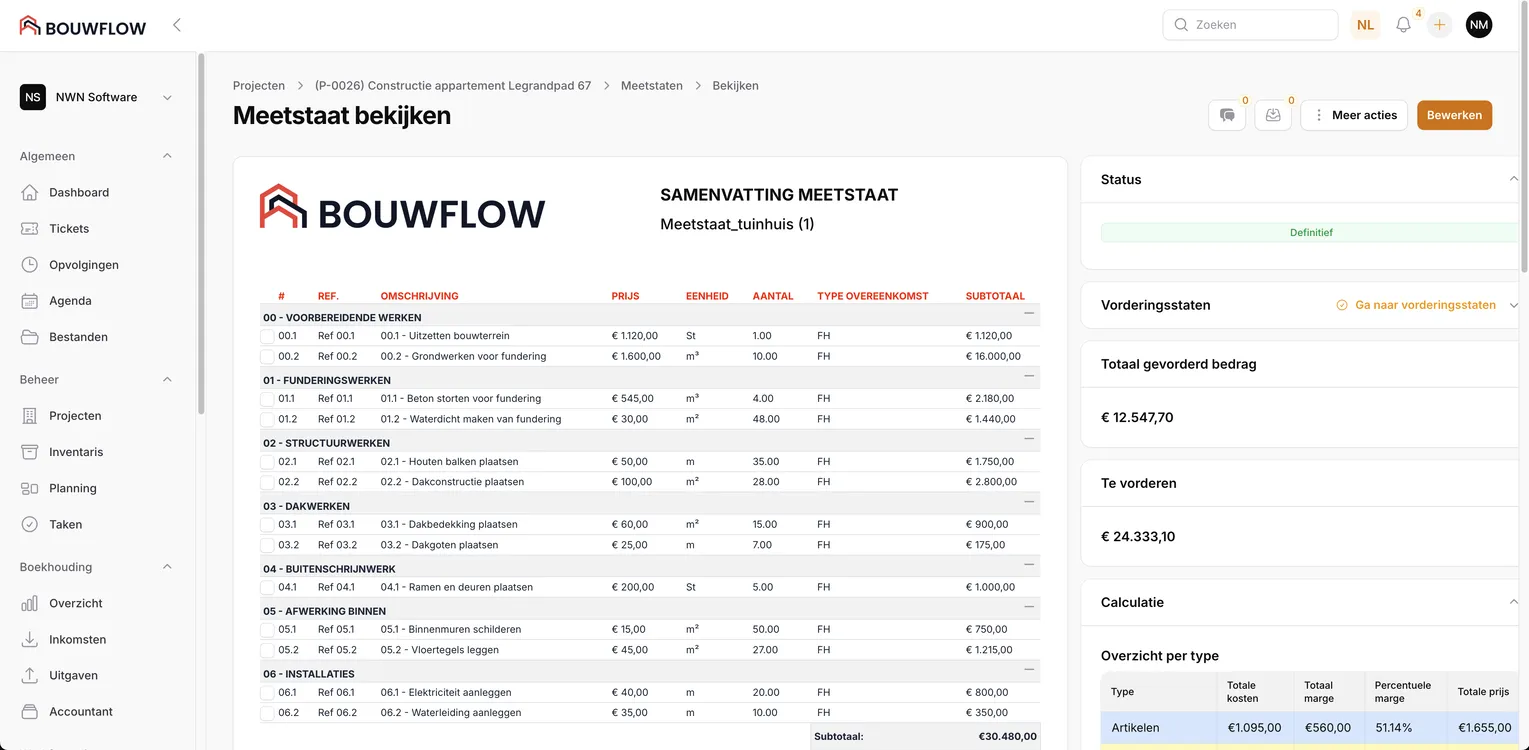
Pre-calculation
Build up your line items with your own unit rates and margins. You see straight away what a refurbishment has to bring in.
Quotations
Turn your bill of quantities into a quote in your own branding. Your client signs digitally and you know the moment it happens.
Post-calculation
Hours, work orders and purchases come together per job. You see in black and white where you priced well and where you paid out of your own pocket.
Estimating software for renovation companies

The right VAT, without thinking about it

Invoicing software for renovation work

Renovation means switching between rates and schemes. Bouwflow puts the right VAT code and the legal wording on your document, per invoice or per line.
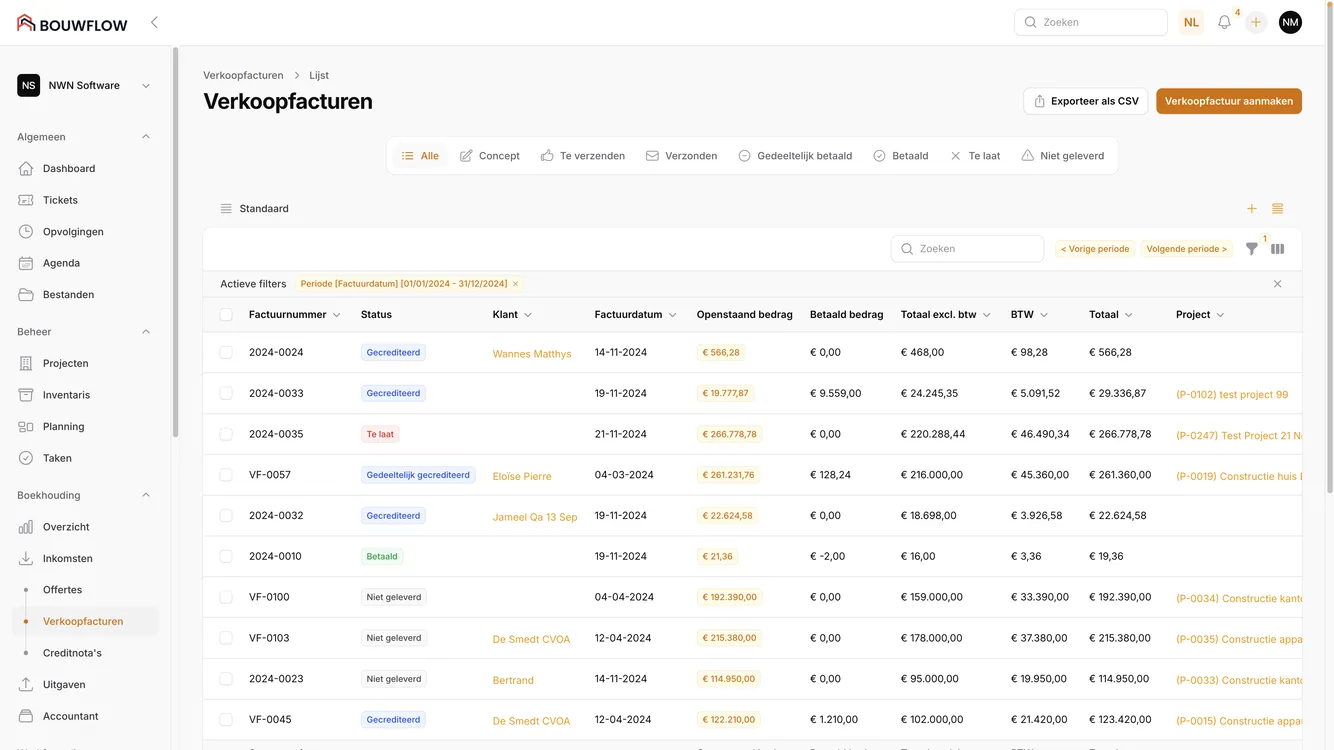
6% and reverse charge
Pick your VAT code on the document or on a separate line. The matching accounting wording is added automatically.
Reminders
Send your reminders for quotes and invoices in a few clicks, so your cash flow is not waiting on your clients.
Reconciliation
Connect your bank to Bouwflow and let invoices be matched automatically. You see at a glance what is still outstanding.
Invoicing software for renovation work
  • Verhelst
  • Bouwpunt De Witte
  • Defrancq
  • Würth

Your regular suppliers are connected.

Your materials from the webshop

Verhelst, Bouwpunt De Witte, Defrancq and Würth are connected. You put their products straight onto your bill of quantities or your quote, at the right price.

Products from the webshop
Search a product in your supplier's webshop, or fill your basket there and pull it into Bouwflow in one click.
Prices that stay right
Every night Bouwflow fetches the latest prices. An old quote updates with one click.
Your margin is already on it
Per product you set the cost price, the markup and the category. What lands on your quote is right the first time.

Seamless transition without losing your current data.

A smooth transition to Bouwflow without data loss is our top priority. With personalized guidance from our expert team and advanced import functions, we make your transition easy and worry-free.

Invoice as the job moves

Extra work and progress claims

On a renovation, work turns up along the way that nobody saw coming. You invoice per phase and settle that extra work separately, so you are not waiting on the final account to get paid.
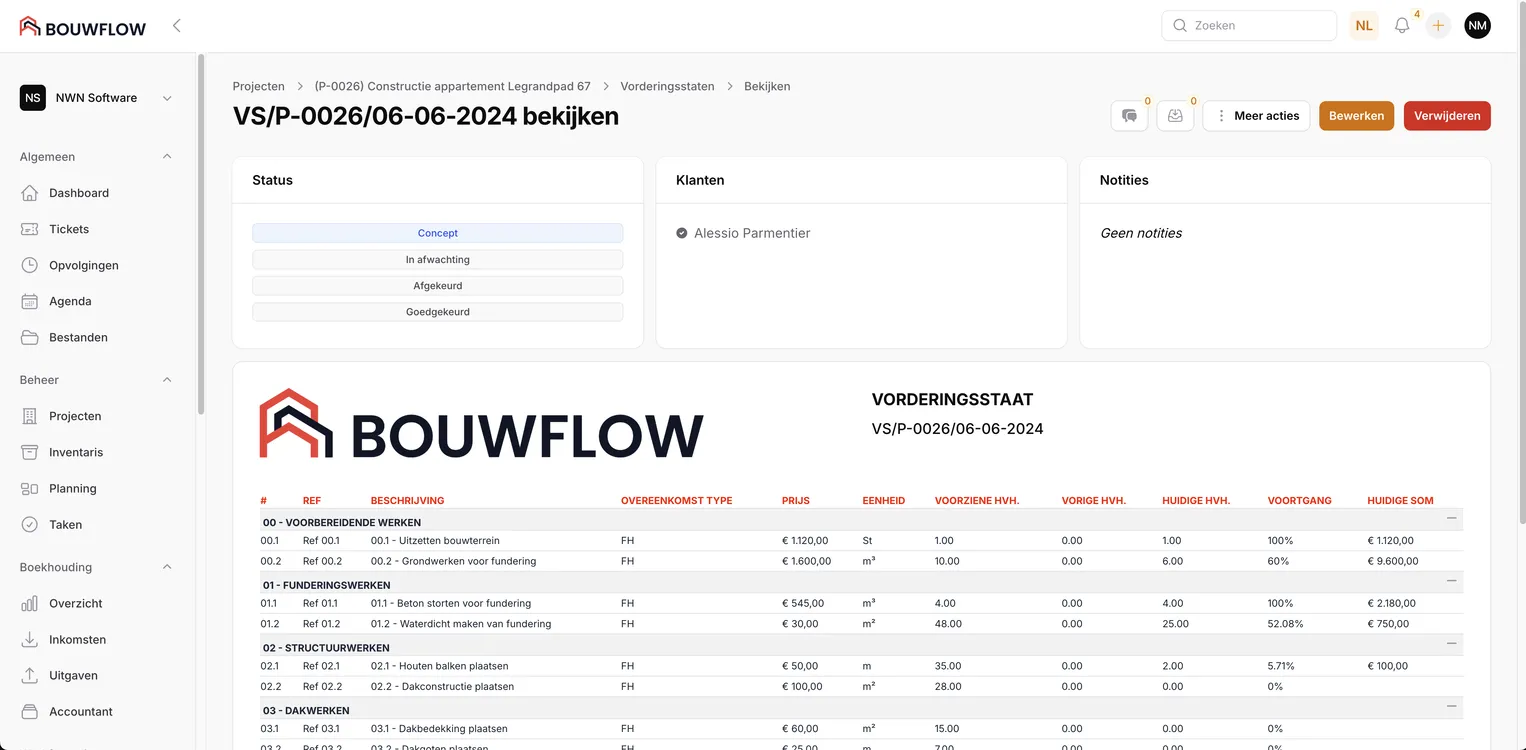
Extra work
Small extras go on a work order and are invoiced separately. Bigger items are recorded as a variation and picked up on your next progress claim.
Progress claims
Invoice per claim based on your pre-calculation. Price revisions are worked out using the formula in your contract.
Advance and interim invoices
Not every renovation runs on progress claims. You can ask for an advance at the start and send interim invoices along the way. On the final invoice, Bouwflow deducts whatever you already billed.
Digital approval
Send the progress claim to your client or the architect. They sign digitally, and you only invoice once the approval is in. You upload contracts with subcontractors or suppliers as a pdf and have them signed digitally too.
Progress claims and extra work for renovation companies

Full control over your execution

Planning for renovation sites

On a renovation, crews and subcontractors follow each other closely. All your sites sit in one overview, and your schedule shows who is where and what has to move that day.
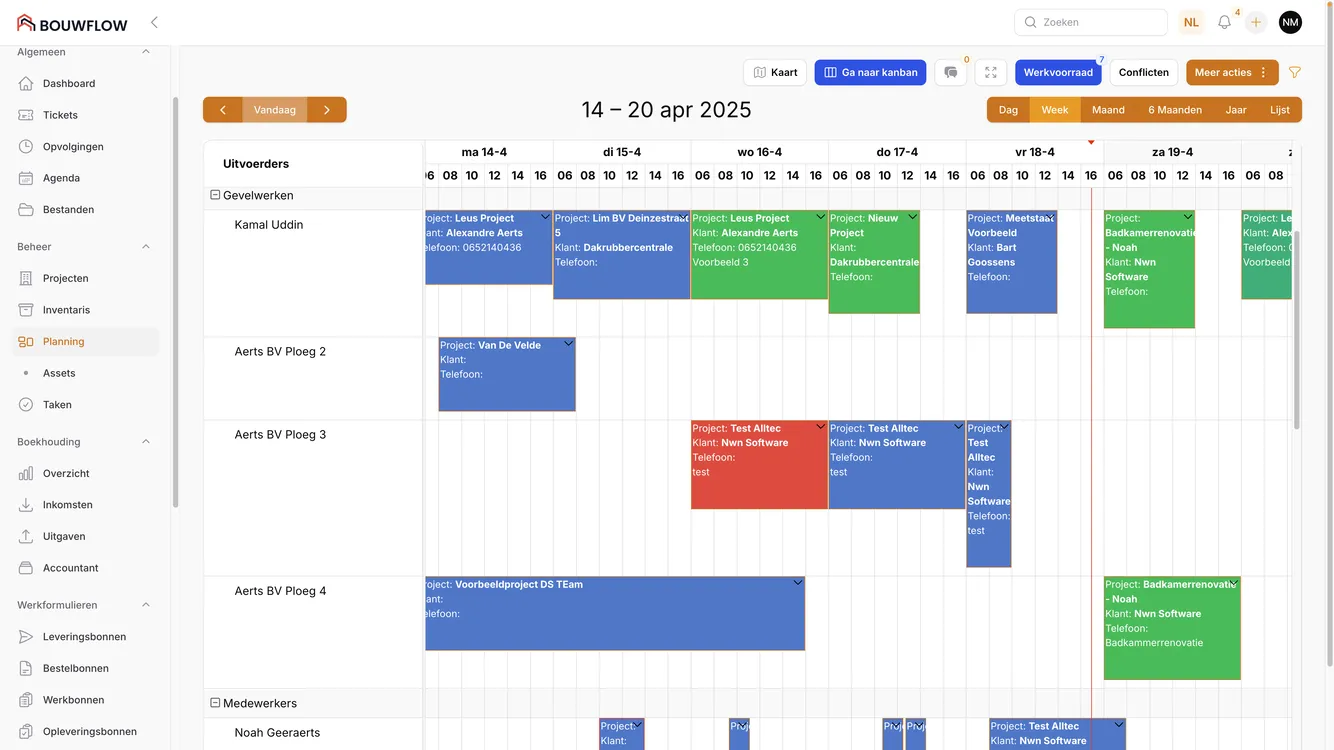
Staff and crews
Schedule staff, crews and subcontractors per job. Whatever you schedule becomes a work order for the site straight away.
Work backlog
Work orders without a date wait in the sidebar. You drag them onto the calendar when it suits. If something overruns, you move a scheduled job to another day or another crew.
Equipment
Track machines, vehicles and tools in one view, so your scaffolding or hoist is where you need it.
Materials
Create purchase orders in Bouwflow and follow up on them. You know which materials arrive on site and when.
Planning software for renovation companies
OnSitePro
Planning & work orders

A better way to plan

Run your crews from one central platform. With our work order app OnSitePro, your people log their hours, their materials and their photos on site, and have the client sign off digitally.

App screenshot
Work order app for renovation companiesWork order app for renovation companies

Frequently asked questions

It is the software where estimating, planning, invoicing and site follow-up come together, so you only enter your data once. Bouwflow is built for that, with the Belgian VAT scheme in it and a work order app for your crews on site.

Look beyond the quoting module. A renovation company also needs post-calculation, extra work and progress claims, plus an app your people use to log hours on site. Otherwise you are back in Excel within six months.

In three ways. Small extras go on a work order and are invoiced separately as daywork. Bigger items are recorded as a variation and picked up on your next progress claim. Small corrections are added to the final invoice.

With a handover sheet. Your customer signs off the handover, in full or with reservations. For any snags you note the reason and a date to come back to it, and you get a reminder as that date approaches.

Yes. You set a default VAT scheme and adjust it per document or per invoice line, for example 6%, 12% or 21%. The correct accounting wording, such as for reverse charge, is added to your document automatically.

Yes, through the OnSitePro app. Your crews open their work order, start their time tracking, note what material was actually used, take photos and have the client sign on the spot. It all comes back to you at the office.

On the project itself, in project management and planning. Drawings, photos, emails and documents are kept per project, per customer or for the whole company, and work order photos get their own folder. That way you are not digging for a drawing or an old email later.

Companies of roughly five to a hundred people who do the work themselves: full renovation, structural work and finishing, roofing and facade work. If you are running separate programs that do not talk to each other, you are in the right place.
Time Saved on Administration
30%
Less Billing Time
60%
Managed in Bouwflow
30.000+ Projects

Boost Your Productivity

Create quotes faster, calculate better, plan more efficiently, and much more. Book your demo today.