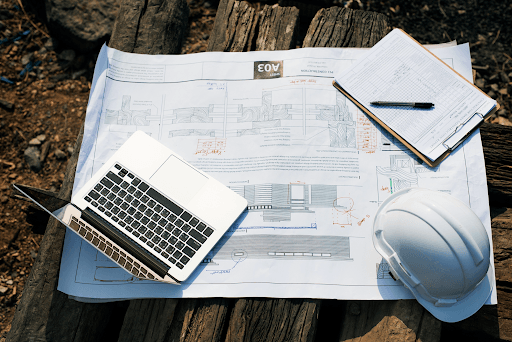
A construction task can slow down fast when workers receive unclear instructions. One missing note, old drawing, or late update can create confusion on-site. Consequently, teams may repeat work, wait for answers, or report progress too late.
This is why construction work instruction software matters. It helps contractors send clear task details, job steps, documents, and updates to field teams before work starts.
With Software for ERP Integration, those instructions do not stay separate from the rest of the business. They can connect with planning, work orders, time records, materials, and reports. In this blog, we will look at what to check before choosing the right software and how Bouwflow supports clearer construction workflows.
What Is Construction Work Instruction Software?
Construction work instruction software helps contractors give the field clear task details before work begins. It can include job steps, work orders, drawings, safety notes, material details, photos, and progress updates.
In simple terms, it tells workers:
what task needs to be done
where the work should happen
which materials or tools are needed
which documents or drawings apply
when the task should be completed
what proof should be recorded after the work
This is because construction sites can change throughout the course of the day. There could be a change in the drawings, material used, or there could be a change in site conditions that require a different strategy altogether. Errors could result from failing to give the workers the latest instructions.
The Bouwflow software allows contractors to deal with this issue using construction work order software and field updates. The OnSitePro mobile application enables the workers to enter their working hours, materials, and site photographs.
Why ERP Integration Matters for Work Instructions
Work instructions shouldn’t sit in a separate file or app. If site instructions are not linked with the main ERP system, the team may miss updates, duplicate data, or work with old project details. Connecting these systems is one of the main benefits of ERP software that integrates construction systems and keeps project information connected.
Construction Software ERP Integration helps connect field instructions with the wider business process. This means work orders, materials, labour hours, progress updates, and reports can support each other instead of staying apart.
This matters because every site task affects another part of the business:
A completed task may affect project progress.
Used materials may affect inventory.
Worker hours may affect labour tracking.
Extra work may affect invoicing.
Delays may affect planning and reporting.
Field photos may support proof of work.
This enables the office staff not to chase updates separately, as they can evaluate the progress on-site better with context. Bouwflow enables this with work order management, planning, time/material tracking, procurement, billing, and project management integrated within construction ERP solutions. Thus, construction companies can maintain clearer site directions and more precise business documents.
Key Features To Look For
The right work instruction software should make site work clearer, not more complex. Field teams need simple instructions, while office teams need reliable updates they can use for planning, records, and reporting.
When choosing software for ERP integration, look for features that connect daily site activity with the rest of the construction business.
Clear Digital Work Orders: Work orders should explain the task in simple terms. They should show what needs to be done, where it needs to happen, and which details matter most. This helps workers begin with fewer questions and less confusion.
Mobile Field Access: Site teams should be able to open instructions from a phone or tablet. This is useful when workers move between locations or need to update progress directly from the job site.
Drawing and Document Link: Instructions become solid when they connect with the right drawings, photos, quotes, or project notes. This reduces the chance of workers using outdated information.
Time and Material Tracking: Field teams should be able to record hours, materials, and pictures after completing work. These records help managers compare planned work with actual site activity.
Update and Approval History: Every change should be easy to trace. If a task changes, the system should show what changed, who approved it, and when the update was made.
Progress Reporting: Managers need a clear view of completed, pending, and delayed tasks. Good reporting helps them take action before small issues affect the project schedule.
Bouwflow supports these needs through digital work orders, planning, time and material tracking, purchasing, invoicing, and project records. With the OnSitePro mobile app, workers can record field updates more easily, helping contractors keep site instructions and ERP records better aligned.
Explore Your Options: Risk Management in Construction: Strategies for Project Success
Manual Work Instructions vs ERP-Connected Instructions
Manual work instructions may work for small tasks. However, they become risky when projects grow, teams change, or updates happen during the day. Paper notes, messages, and separate files can simply create confusion on-site.
ERP work instruction integration gives teams a better way to connect task instructions with project records, labour updates, materials, and reporting.
The major difference is control. Manual instructions rely heavily on memory and follow-ups. ERP-connected instructions create a clearer trail from task planning to field completion.
Bouwflow assists with this by helping contractors send digital work orders, track time and materials, and keep project records simpler to follow. This helps field teams with clearer instructions while office teams receive better updates from the site.
How Bouwflow Supports Work Instructions
Bouwflow helps contractors turn site instructions into clearer daily actions. Instead of sending task details through separate messages, teams can use digital work orders to share what needs to be done and track how the work is moving.
As construction ERP software, Bouwflow supports the full flow around work instructions:
construction project planning software for upcoming tasks
Digital work orders for field teams
Time and material tracking through OnSitePro
Photos from the site as proof of work
Purchasing and inventory updates
Invoicing and accounting integrations
Project records that are easier to review
This is useful because work instructions don’t end when a task is assigned. Workers may need to record hours, materials, notes, and images after the job is done. Managers may also need to check progress before planning the next activity.
Bouwflow keeps these steps closer together. Consequently, contractors can simply reduce missed updates, give workers clearer direction, and keep office teams informed about what is happening on-site.
Choosing the Right Software
Before selecting a work instruction tool, contractors should check whether it fits real construction workflows. The software should be simple enough for field teams and useful enough for office teams.
Good construction software ERP integration should support:
clear work orders with task details
mobile access for workers on-site
time, material, and photo updates
links to drawings, notes, or project records
approval history for changed instructions
reporting for completed and pending tasks
connection with purchasing, invoicing, and accounting workflows
The accurate system should reduce confusion, not create extra steps. If workers find it difficult to use, updates may still move through calls and messages. If office teams can’t use the field data, the ERP connection loses value.
Bouwflow is a solid fit because it connects work orders, site updates, time tracking, materials, invoicing, purchasing, and project records inside construction ERP software. This helps contractors keep instructions clear and business data more reliable.
Conclusion
Clear work instructions help construction teams avoid confusion, missed updates, and repeated work. However, they become more useful when they connect with planning, materials, time records, invoicing, and reporting.
That is why ERP integration matters. It keeps field activity closer to business records and gives managers better control over daily work.
Bouwflow helps contractors manage this through construction ERP software built for real site workflows. With digital work orders, OnSitePro field updates, time and material tracking, purchasing, invoicing, and project records, contractors can give teams clearer instructions and keep work easier to follow from beginning to end.
FAQs
What is Construction Work Instruction Software?
Construction Work Instruction Software is a solution that allows contractors to provide their field crews with precise task details. These can include work orders, drawings, instructions, images, materials, deadlines, and progress reports.
Why should the work instructions be linked to ERP software?
The reason why the work instructions should be linked to ERP software is that the field work influences the planning, materials, labour hours, invoicing, and reporting. This connection saves time and avoids duplication of data.
Why are Digital Work Orders useful for construction?
Digital work orders are useful for construction crews since they provide the crew with information concerning the task at hand, its location, and important details.
What features should contractors consider when choosing software?
There are many different features contractors should consider, such as mobile access, digital work orders, time tracking, materials tracking, image uploading, approval history, document links, and progress reporting.
Is it possible for field workers to use it on-site?
Yes. With mobile access, field workers can view instructions, record hours, add material use, upload photos, and send progress updates directly from the job site.
How does Bouwflow help with task instructions?
With the help of construction ERP, Bouwflow provides construction companies with services to handle digital work orders, planning, time & material management, field images, purchasing, invoicing, and project documentation.
Does that lower administrative tasks?
Yes, it does. The more information stays linked, the less time is wasted by administration trying to get access to that data.